AI News Reader Video Generator: Practical Guide
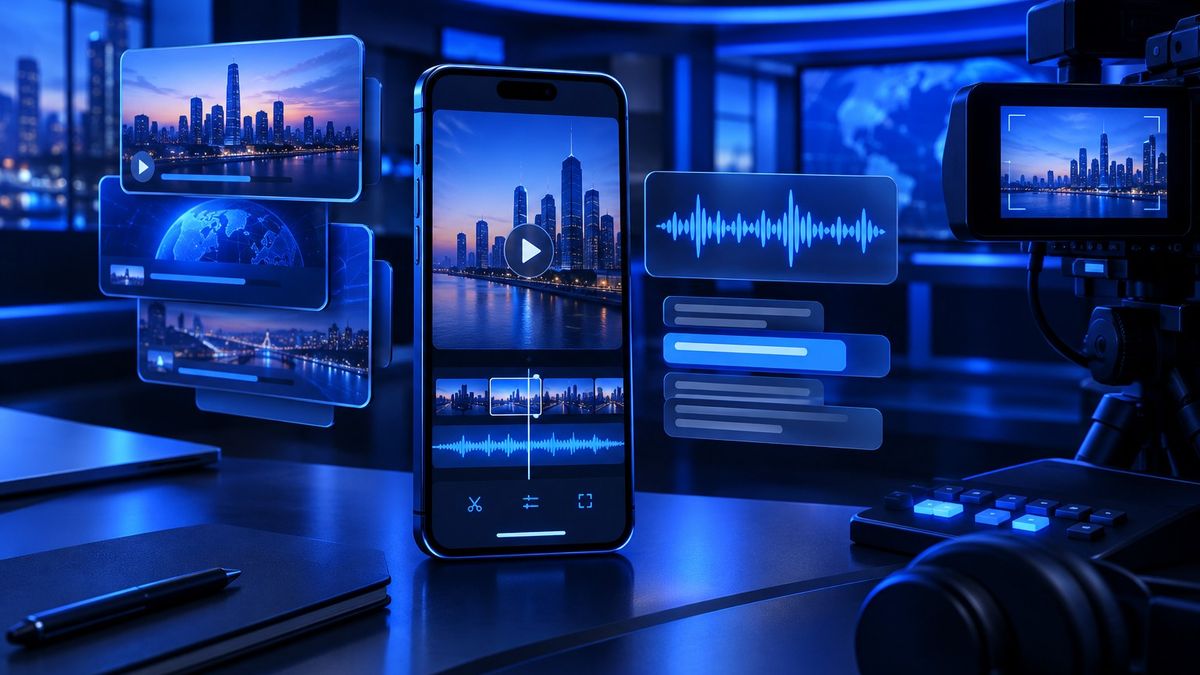
An ai news reader video generator can turn a written story into a ready-to-publish vertical video in minutes, which is exactly why it matters for busy news pages that need speed, consistency, and a clean on-brand format.
For social media managers and news-page editors, the challenge is rarely finding the story. The challenge is turning that story into a short video fast enough to stay relevant, while keeping the branding, captions, voice-over, and publishing process under control. That is where AI becomes useful: it reduces the manual steps without replacing editorial judgment.
In this guide, you will learn what this type of tool does, when to use it, how to build a reliable workflow, and how to avoid the common mistakes that make AI-generated videos feel generic or untrustworthy.
What an ai news reader video generator actually does
An ai news reader video generator takes news text, a URL, or a prepared script and converts it into a video format designed for social platforms. In practical terms, it can handle some or all of the following:
- split the story into short scenes or slides
- generate captions for the on-screen text
- create a voice-over in a chosen language or tone
- add branding elements such as logo, colors, and template style
- export the result in a vertical format suitable for reels and short videos
For a news page, this means you can move from story to visual post without starting from scratch each time. Instead of asking a designer and a video editor to rebuild the same format repeatedly, you can standardize the process and keep the team focused on editorial decisions.
If your page publishes frequently, this is especially valuable. A short breaking-news clip, a daily roundup, or a quick explainer can all follow the same production pattern. For broader strategy around video formats, see عمل ريلز اخبار: دليل عملي للصفحات العراقية and AI News Reporter Video Generator for Fast Publishing.
When this workflow makes the most sense
Not every story needs the same treatment. The best use cases are the ones where speed and clarity matter more than complex storytelling.
- Breaking news updates where you need a quick visual summary before the topic becomes old news.
- Daily headlines where the same format can be reused for consistent publishing.
- Explainers and service news where a short narrated video helps the audience understand the impact.
- Cross-platform repurposing where one story needs to appear on Facebook, Instagram, TikTok, Threads, and Telegram.
This is why many teams pair video automation with a broader publishing system. If your newsroom also pulls content from RSS or Telegram channels, it is worth reading نشر الأخبار تلقائيا من RSS لصفحات الأخبار العراقية so the story collection process is just as organized as the video creation process.
How to build a fast, reliable workflow
The smartest way to use an ai news reader video generator is to treat it as one part of a full production workflow, not as a replacement for editing. A practical workflow usually looks like this:
- Collect the story from your newsroom, a trusted source, RSS, Telegram, or a web link.
- Rewrite the key points into a short, clear script that fits a vertical video.
- Choose the format you want: narrated reel, news anchor style, text-led video, or branded slideshow.
- Review the captions carefully for names, places, numbers, and spelling.
- Check the voice-over for tone, pronunciation, and pacing.
- Approve the visual output before it is published.
- Schedule or post the video to the right channels.
This order matters because AI works best when the input is structured. If the source text is messy, the result will usually be messy too. A quick editorial pass before generation often saves more time than fixing a bad video afterward.
For teams that manage multiple channels at once, a scheduling layer is also important. See أدوات جدولة السوشل ميديا لصفحات الأخبار العراقية for a useful view of how scheduling fits into the publishing stack.
A simple script formula that works well
To keep videos tight, use this structure:
- Hook: one sentence that says what happened
- Context: one or two lines that explain why it matters
- Update: the most important detail or development
- Close: a short final line if needed, or leave it open-ended for follow-up
This format works because short-form news video should be easy to scan. If a viewer only watches the first few seconds, they should still understand the headline and the point.
How to make the result feel branded, not generic
One common problem with AI-generated video is that it looks technically fine but feels interchangeable. That usually happens when every post uses the same template with no editorial personality. To avoid that, define a few consistent brand rules before production begins:
- use the same logo placement every time
- keep your color palette stable
- choose one caption style and stick to it
- decide whether your tone should be formal, urgent, or conversational
- set rules for when to use bold text, highlights, and scene changes
These rules make the output recognizable across platforms. They also help your team move faster because fewer creative decisions need to be made from scratch for each story.
If your page is mainly focused on Facebook growth, the visual identity of your posts matters more than many editors expect. You may also find this useful: Visual Identity for News Pages: A Practical Guide to Trusted Cards.
Where MediaMach fits into the process
A tool like MediaMach is useful because it brings the workflow into one place: you can send the story from the web dashboard or the Telegram bot, get back a branded design or a vertical reel with captions and voice-over, review it, then publish across Facebook, Instagram, TikTok, Threads, and Telegram. It also helps teams pull news from RSS and Telegram channels automatically and track engagement stats in one place.
That matters because the real bottleneck is usually not the AI generation itself. The bottleneck is jumping between tools, copying text manually, fixing formatting, and keeping track of where each post is in the approval process. When the system is centralized, editors can spend more time on judgment and less on repetitive production work.
Still, the human layer remains essential. Even the best ai news reader video generator should be treated as a production assistant, not a final editor. The newsroom decides what is important, what is sensitive, and what deserves a video at all.
How to review AI output before publishing
A quick review checklist can prevent many avoidable mistakes. Before publishing, check the following:
- Factual accuracy: Are names, places, dates, and key facts correct?
- Caption quality: Are lines readable and properly broken up?
- Voice-over clarity: Does the pronunciation sound natural and understandable?
- Visual consistency: Does the layout match your brand?
- Platform fit: Is the video short enough and formatted correctly for the target channel?
For Arabic-speaking audiences, this step is especially important because the difference between clean and awkward text becomes obvious quickly on video. If you want to strengthen the language layer, also see التعليق الصوتي بالذكاء الاصطناعي لصفحات الأخبار and How to Add Arabic Subtitles to a Video.
Common mistakes to avoid
- publishing the first AI draft without a human review
- making every story look the same, even when the topic is different
- using too much text on screen for a fast-moving reel
- ignoring platform-specific formatting
- focusing on automation and forgetting audience trust
These mistakes are easy to avoid once the team has a repeatable workflow. The goal is not to produce more content at any cost. The goal is to produce faster while keeping editorial standards intact.
How to use the same story across multiple platforms
A strong ai news reader video generator workflow should make repurposing simple. One story can become several versions:
- a short reel with voice-over for Instagram and TikTok
- a square or vertical branded card for Facebook
- a concise version with caption text for Threads
- a quick update for Telegram
The message should stay consistent, but the packaging can change. For example, a breaking story may need a louder opening hook on Instagram, while Telegram may need a more direct, text-first version. This is where a platform-aware publishing plan becomes valuable.
If you want to improve your posting strategy as well, this guide can help: خوارزمية انستقرام لصفحات الأخبار: كيف ترفع الوصول.
FAQ
What is an ai news reader video generator?
It is a tool that turns news text or a script into a video with captions, voice-over, and branding, usually in a format designed for short social videos.
Do I still need an editor if I use AI?
Yes. AI can speed up production, but a human should still check facts, tone, captions, and final presentation before publishing.
Can one story be used for several platforms?
Yes. The same story can be adapted into different versions for Facebook, Instagram, TikTok, Threads, and Telegram, as long as the format matches each platform.
How do I make AI videos look less generic?
Use a stable brand system: consistent colors, logo placement, caption style, and tone. A clear template helps your videos feel like part of your page, not just another auto-generated post.
If you want to turn stories into branded reels and posts with less manual work, you can start here: Create your MediaMach account.